80 PRINT total
The variable named count, is called the control variable of a FOR … NEXT loop.
The effect of this program is that count runs through the values 1 (the initial value), 2, 3, 4 and 5 (the limit), and for each one, lines 30, 40 and 50 are executed. Then, when count has finished its five values, line 80 is executed.
STEP
The control variable, does not have to increase by 1 each time; you can change this 1 to anything you like by adding a STEP clause in the FOR command. The most general form for a FOR command is:
FOR control variable = initial value TO limit STEP step
where the initial value, limit and step are all numeric expressions; things in other words that the computer can calculate as numbers – like the actual numbers themselves, or sums, or the names of numeric variables. So, if you replace line 20 in the program by:
20 FOR count=1 TO 5 STEP 3/2
then count will run through the values 1, 2.5 and 4. Notice that you don't have to restrict yourself to whole numbers, and also that the control value does not have to hit the limit exactly – it carries on looping as long as it is less than or equal to the limit. Try this program, to print out the numbers from 1 to 10 in reverse order.
10 FOR n=10 TO 1 STEP -1
20   PRINT n
30 NEXT n
We have said before that the program carries on looping as long as the control variable is less than or equal to the limit. If you work out what this would mean in this case, you will see that it gives nonsense. The normal rule has to be modified; when the step is negative, the program carries on looping as long as the control variable is greater than or equal to the limit.
You must be careful if you are running two FOR...NEXT loops together, one inside the other. Try this program, which prints out the numbers for a complete set of six spot dominoes.
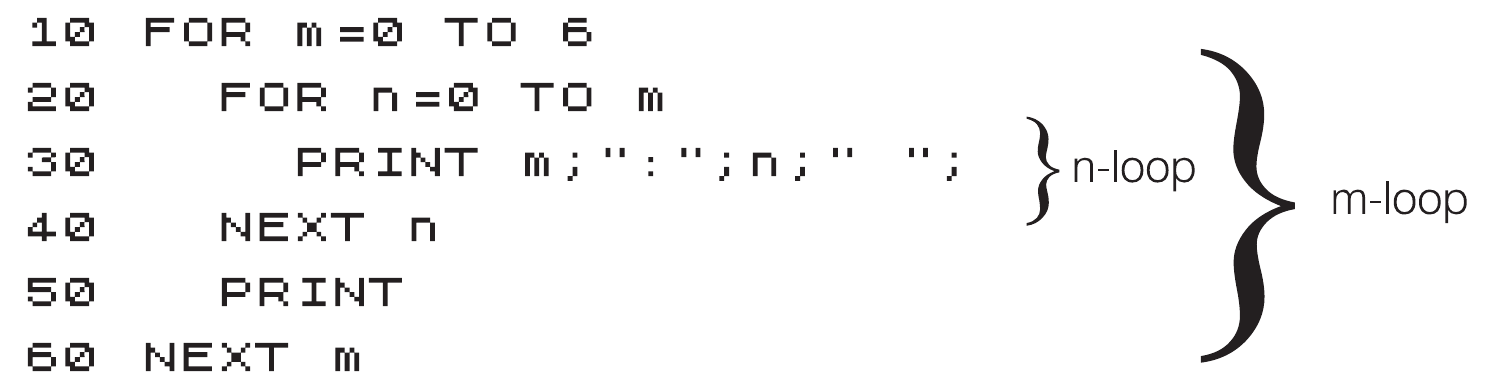
10 FOR m=0 TO 6
20   FOR n=0 TO m
30     PRINT m;":";n;" ";
40   NEXT n
50   PRINT
60 NEXT m
You can see that the n-loop is entirely inside the m-loop – they are properly nested. What must be avoided is having two FOR … NEXT loops that overlap without either being entirely inside the other, like this:
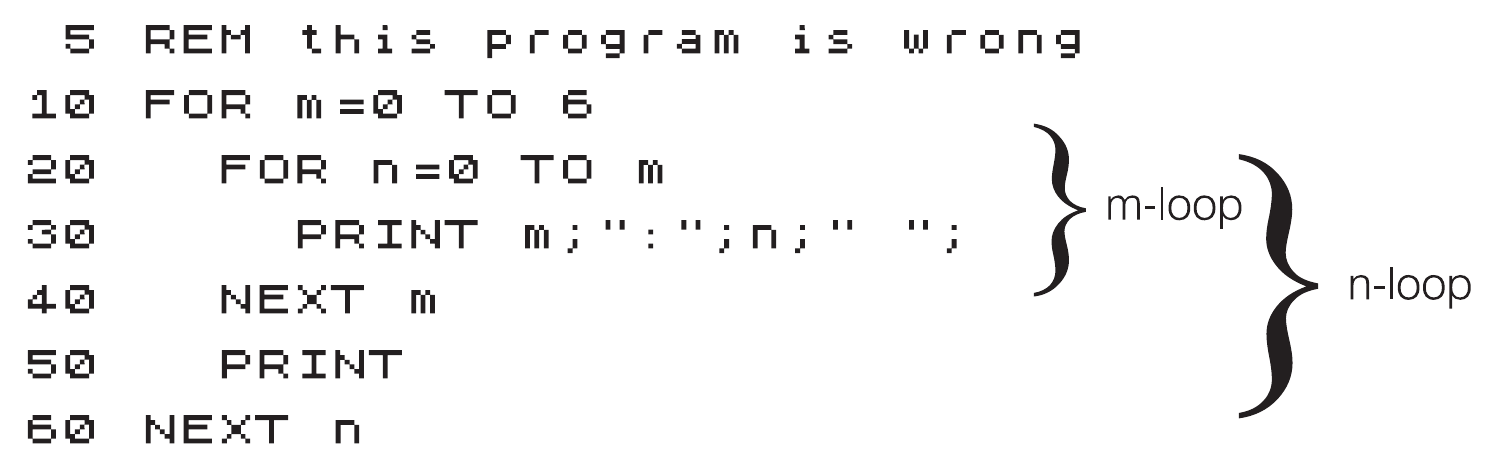
 5 REM this program is wrong
10 FOR m=0 TO 6
20   FOR n=0 TO m
30     PRINT m;":";n;" ";
40   NEXT m
50   PRINT
60 NEXT n
ZX Spectrum Next User Manual, 3rd Edition (ISBN 978-1-5272-5496-1), written and illustrated by Phoebus R. Dokos. Copyright © 2020-2024 Phoebus Dokos / SpecNext Ltd. Licensed under CC BY-NC-SA 4.0. This is a transcription and can contain errors; check any doubt against the printed page.