which will draw this:
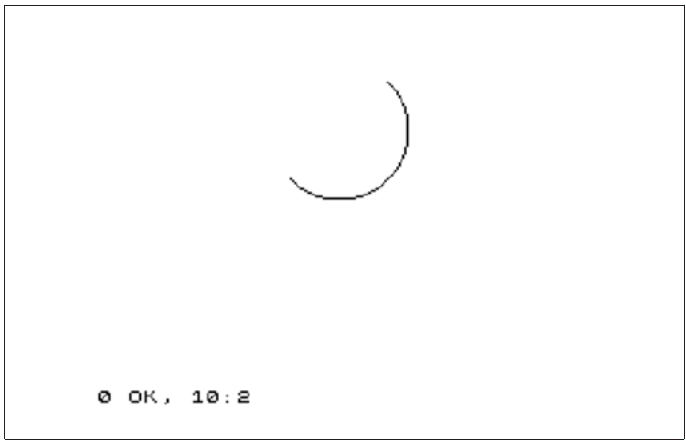
0 OK, 10:2
Fig. 14 – Arc drawn with DRAW statement
When run on Layer 0, the drawing starts off in a south-easterly direction, but by the time it stops it is going north-west: in between it has turned round through 180 degrees, or π radians (the value of a). Obviously, when run on other layers, the vertical part of the drawing is inverted in line with everything we have discussed.
Run the program several times, with PI replaced by various other expressions e.g. -PI, PI/2, 3*PI/2, PI/4, 1,0.
Notes
Due to the way values are calculated, it's not advisable to use values exceeding π for the arc_turn parameter as they may not perform in the way you would intend. That being said there are various values that produce very interesting results. Try:
PLOT 75,75: DRAW 80, 24, xwhere x is 400, 600 or 800. Experiment further to see what other effects you can generate.
The last statement in this section is the CIRCLE statement, which draws an entire circle. You specify the coordinates of the centre and the radius of the circle using:
CIRCLE x_coordinate, y_coordinate, radius
Just as with PLOT and DRAW, you can put the various sorts of colour items in at the beginning of a CIRCLE statement. As with its PLOT and DRAW counterparts, CIRCLE, when used in Layer 0 will produce an error for circles drawn out of bounds but the remaining layers will happily draw off-screen.
POINT, POINT TO
The POINT function informs you of the contents of a pixel on screen. It accepts two parameters enclosed in parentheses, x_coordinate and y_coordinate. POINT on its own works only on Layer 0 and returns 1 if the pixel is set or 0 if not set. Whilst in Layer 0 try:
CLS: PRINT POINT (0,0): PLOT 0,0
:PRINT POINT (0,0)
There's an extended variant of POINT utilising the TO modifier which works on all layers, that takes the output of POINT and stores it in variable var. This returns 1 if the pixel is set or 0 if not set in all layers except LoRes and Layer2 just as the plain POINT does. In LoRes and Layer 2 however, it returns a value from 0 to 255 which is the actual palette index entry
ZX Spectrum Next User Manual, 3rd Edition (ISBN 978-1-5272-5496-1), written and illustrated by Phoebus R. Dokos. Copyright © 2020-2024 Phoebus Dokos / SpecNext Ltd. Licensed under CC BY-NC-SA 4.0. This is a transcription and can contain errors; check any doubt against the printed page.