To close the driver's stream, you will use a standard CLOSE # command (in the examples above that would be CLOSE #8).
Once the driver's channel is open, you can use any of NextBASIC's stream input, output or pointer manipulation commands (if these are supported by the loaded driver; Usually each driver's documentation should describe what can be used).
A good example of using the driver channels can be found in the documentation for the ESP (WiFi) driver by Tim Gilberts, included in the c:/docs/extra-hw/ folder of the System/Next™ distribution. You can see there for example that talking to the internet via NextBASIC can be as simple as:
OPEN #4,"d>N>TCP,145.239.200.34:80"
which will open a TCP connection to port 80 on specnext.dev
Windows
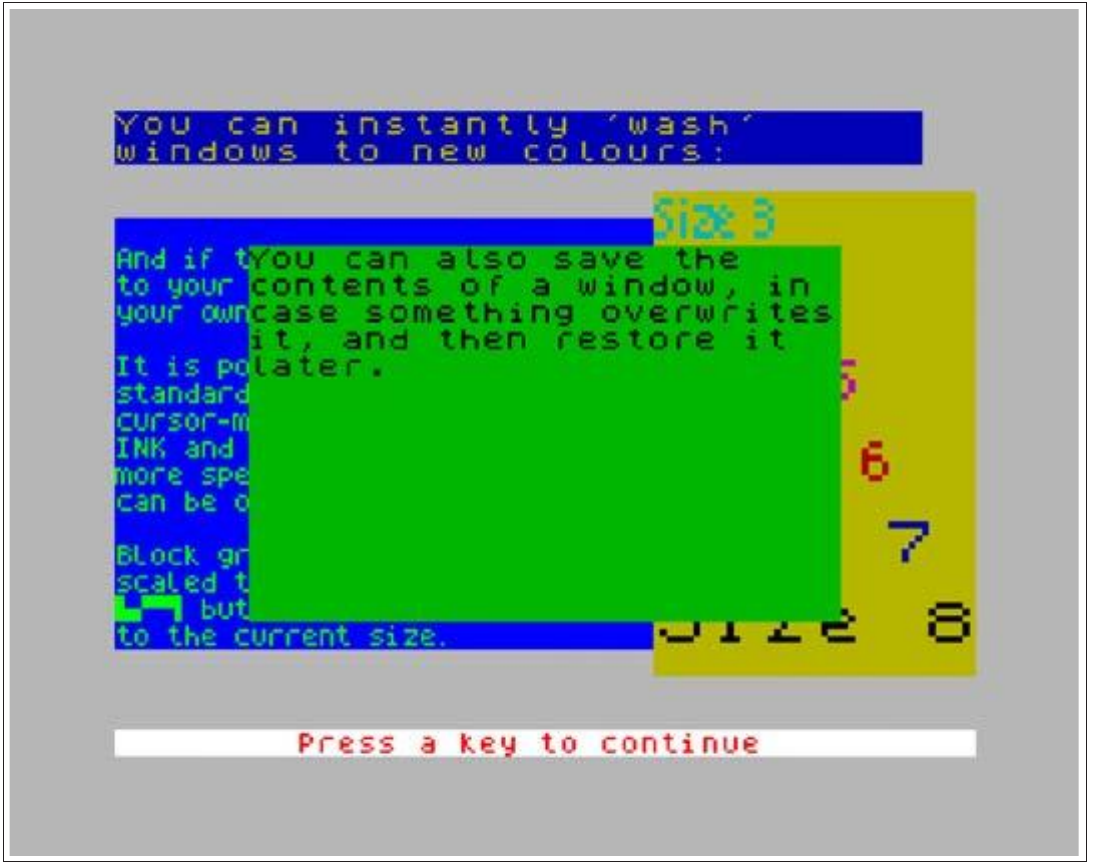
NextBASIC offers the ability to create and manipulate text "windows" on screen via its Window Channels. This allows for immense flexibility in manipulating textual output, going beyond what simple PRINT commands can.
System Windows vs User Windows
When we talk about Windows, we're really talking about two kinds; System and User Windows. The former are created and managed by NextBASIC while the latter are created and controlled by the user. By default, 4 System Windows are created; one for each Layer other than 0. These are full screen and are used to produce output through the standard s channel and only a few parameters of these can change (size always remains the maximum possible).
You can instantly 'wash'
windows to new colours:

                                Size 3
And if tYou can also save the
to your contents of a window, in
your owncase something overwrites
        it, and then restore it
It is polater.                   5
standard
cursor-m                          6
INK and
more spe
can be o                          7

Block gr
scaled t
[graphic] but                    Size 8
to the current size.

Press a key to continue
Fig. 33 – NextBASIC Text Windows
User Windows on the other hand can have varying sizes and can be defined anywhere in the screen. From now on, we'll refer to System Windows as SW and to User Windows as UW. If no designation exists, then the discussion applies to both types.
Defining User Windows
User windows are defined by their top line (0 to 23), leftmost column (0 to 31), height (1 to 24), width (1 to 32), and optionally by character size (3 to 8) and character set memory address6.
6 Memory address refers to an address location within the main memory map.
ZX Spectrum Next User Manual, 3rd Edition (ISBN 978-1-5272-5496-1), written and illustrated by Phoebus R. Dokos. Copyright © 2020-2024 Phoebus Dokos / SpecNext Ltd. Licensed under CC BY-NC-SA 4.0. This is a transcription and can contain errors; check any doubt against the printed page.