Chapter 1 – Basic Programming Concepts
Introduction
If you read through the Quick Start Guide, included with your new ZX Spectrum Next, you've already had a brief introduction of the screen, keys, editing and NextBASIC in general which means you're ready to start programming your computer! If not, you can either go along and you'll figure things you've missed along the way – or – go back and have a quick read of the A (Next)BASIC Primer section! Either way, you need to reset your ZX Spectrum Next, go to the Startup Menu and select NextBASIC. Press ENTER and we're ready to start!
PRINT, LET, programs and line numbers
Type in the following two lines:
20 PRINT a
10 LET a=10
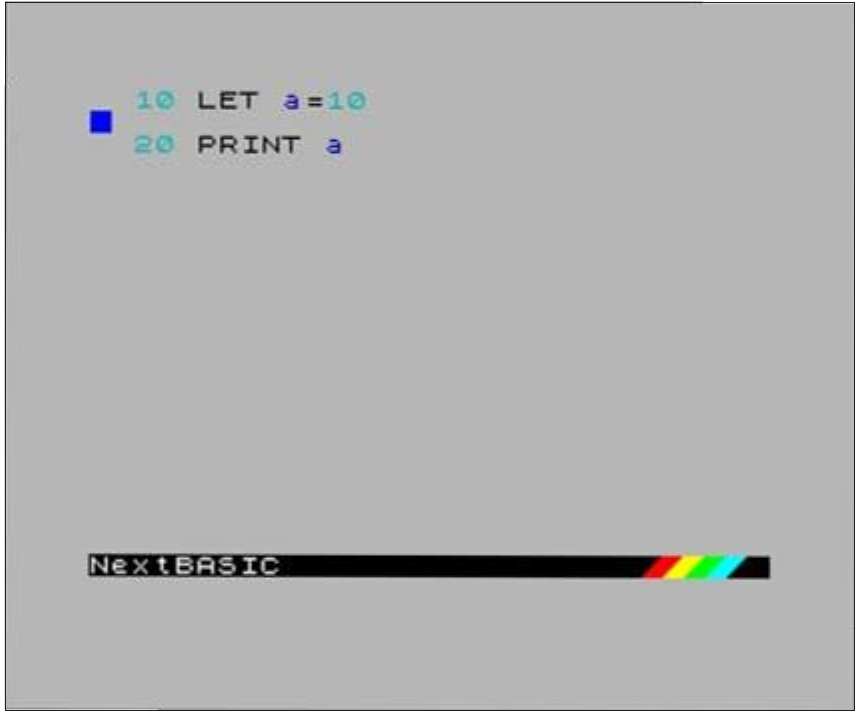
so that the screen looks like this:
10 LET a=10
20 PRINT a


NextBASIC
Fig. 1 – Entering program lines in NextBASIC
First of all congratulations! You just wrote a computer program which stores a number in the computer's memory, later recalls it and displays it. Let's see for a moment exactly how you've done that:
- Since these lines began with numbers (as you already know from the Quick Start Guide), they were not obeyed immediately but stored as program lines. You will also have noticed here that the respective line numbers govern the order of the lines within the program: the lower the number the earlier (higher in the list) it appears. This matters most when the program is run, but it also governs the order of the lines that you see on the screen now.
- By using the command LET you've instructed the computer to await an assignment – the assignment itself is indicated by the = (equals sign). Assignment is the pairing of the numeric value 10 to a variable named a.
Let's enhance our program a bit more. Type:
15 b=15
and press ENTER. Line 15 gets inserted between lines 10 and 20 and the screen is reformatted. If the lines' numbers had only an interval of 1; if for example they had been numbered 1 and 2 instead of 10 and 20 it would have been impossible to insert another line in-between. Line numbers must be whole numbers between 1 and 9999, and that is why,
ZX Spectrum Next User Manual, 3rd Edition (ISBN 978-1-5272-5496-1), written and illustrated by Phoebus R. Dokos. Copyright © 2020-2024 Phoebus Dokos / SpecNext Ltd. Licensed under CC BY-NC-SA 4.0. This is a transcription and can contain errors; check any doubt against the printed page.