Pages 27–34 · Markdown
Chapter 4 – Procedures and Subroutines
Branching
As we already saw, in the course of a program we may need to jump somewhere else inside the program. So far we've seen the GO TO keyword that does just that. GO TO however has disadvantages: If the code jumped to by GO TO needs to be used by some other portion of the program and then return to where it was called, you would need to either introduce complex code to find where the jump came from as to use an appropriate GO TO command to return to it or copy the code multiple times to be called individually by each location.
GO SUB and RETURN
To account for this deficiency, NextBASIC has the statements GO SUB (GO to SUBroutine) and RETURN which are used together. Reusable code called upon multiple times within a program is known as a subroutine, and it can be used – or called – from anywhere else in the program without having to type it again or remember where the call came from. The call to a subroutine takes the form:
GO SUB n
where n is the line number or label of the first line in the subroutine. It is just like GO TO n except that the computer remembers where the GO SUB statement was so that it can come back again after doing the subroutine. It does this by putting the line number and the statement number within the line (together these constitute the return address) on top of a pile of them (the NextBASIC return stack – see Chapter 23 for details):
The command
RETURN
takes the top return address off the GO SUB stack, and goes to the statement after it. As an example, let's look at the number guessing program again. Retype it as follows:
 10 REM A rearranged guessing
    game
 20 INPUT a: CLS
 30 INPUT "Guess the number ",b
 40 IF a=b THEN PRINT
    "Correct": STOP
 50 IF a<b THEN GO SUB 100
 60 IF a>b THEN GO SUB 100
 70 GO TO 30
100  PRINT "Try again"
110 RETURN
The GO TO statement in line 70 is very important because otherwise the program will run on into the subroutine and cause an error (7 RETURN without GO SUB) when the RETURN statement is reached.
Here is another rather silly program illustrating the use of GO SUB:
100 x=10
110 GO SUB 500
120 PRINT s
130 x+=4
140 GO SUB 500
150 PRINT s
160 x+=2
170 GO SUB 500
180 PRINT s
190 STOP
500  s=0:; This is the start
     of the subroutine
510  FOR y=1 TO x
520    s+=y
530  NEXT y
540 RETURN
When this program is run, see if you can work out what is happening. The subroutine starts at line 500.
A subroutine can happily call another, or even itself (a subroutine that calls itself is recursive), so don't be afraid of having several layers.
LOCAL keyword
LOCAL is a special keyword reserved only for subroutines (see above) and procedures (see below) which ensures that the variables that follow it, are independent of the rest of the program and only valid for the duration of the execution of the subroutine or procedure. Its syntax is as follows:
LOCAL var[=value]
wher var is any variable type (string, numeric or integer) or array and value is the initial (or default) value for said variable. Local arrays1 need to be dimensioned separately after being localised by LOCAL. Multiple variables can be declared in the same LOCAL statement, separated by commas and there can be any number of LOCAL statements in a subroutine or procedure as long as there is enough memory for them.Consider the following example (which won't make much sense until you reach the procedures section further below):
100 PROC x(a(),size,2) TO
    result: PRINT result:STOP
110 DEFPROC x(input(),size,y)
120   LOCAL z():LOCAL tot=0
130   DIM z(size)
150   FOR i=1 TO size:z(i)=input(i)*
    y: NEXT i
160   FOR i=1 TO size: tot+=z(i):NEXT i
170 ENDPROC = tot
The moment that branching back occurs, local variables are released. Consider this silly example (which also demonstrates again the initialisation of local a$):
 10 a$ = "Test"
 20 GO SUB 100
 30 PRINT a$
1 Except integer arrays which are predimentioned
 40 STOP
100   LOCAL a$="Different Value"
110   PRINT a$
120 RETURN
This will print Different Value and Test on your screen as LOCAL creates in a sense two versions of a$. The second one exists only until the RETURN keyword is reached.
PRIVATE and PRIVATE CLEAR
PRIVATE is similar to LOCAL in the fact that's reserved only for subroutines (see above) and procedures (see next section). Its syntax is as follows:
PRIVATE var[=value]
where var is a numeric variable (Unlike LOCAL, only numeric variables are accepted by PRIVATE) and value is the optional initialisation value. The latter is important as you will see below. PRIVATE ensures that the variables that follow it, are both independent of the rest of the program and that they are retained every time the procedure is called. In order to reset the value of all private variables (to 0 or to the value initialised to by the PRIVATE statement) we can use PRIVATE CLEAR. When calleded from within banked code (See Chapter 23 – The Memory for information about banks and banked code) PRIVATE CLEAR initialises only the private variables for the procedures in that bank otherwise the private variables for the main program are reset. A small example on how PRIVATE and PRIVATE CLEAR work is the following:
100 PRIVATE CLEAR
110 FOR i=1 TO 10: PROC
    iterate():NEXT i:STOP
120 DEFPROC iterate()
130   PRIVATE callcount=0
140   callcount+=1
150   PRINT "I have been called
    ";callcount;"times"
160 ENDPROC
Procedures (DEFPROC / ENDPROC / PROC)
Procedures are a special form of subroutines. Imagine them as a combination of subroutines and functions (See Chapter 8 – Functions). Like subroutines and the GO TO keyword they branch execution to a different segment of the program to better organise and reuse code. Unlike subroutines but like functions, they can accept multiple variables as parameters, can be named and when called they do not require a line number or label.
Think of procedures as a way to extend NextBASIC commands much like user defined functions extend the inbuilt functions (See Chapter 8 for more details).
Procedure parameters can be regular numeric, integer and string variables as well as arrays which follow all the naming conventions of the former (As seen in Chapters 1 – Basic Programming Concepts , 7 – Expressions and 11 – Arrays).
Procedures can carry meaningful names following the naming conventions of numeric variables (See Chapter 7 – Expressions for valid numeric variable names), while they can also optionally be followed by a $ sign. The latter has no effect in functionality but can be used to identify what the procedure does (for example manage strings)
Procedures are defined by the keywords DEFPROC which takes the form:
DEFPROC name[$] ([parameter1[=def1][,...[, parameterN[=defN]]]])
and ENDPROC which takes one of two forms:
ENDPROC
or –optionally–
ENDPROC =result1[,...,resultN]
Anything that follows the keyword DEFPROC is the procedure itself, however there can be multiple exit points for each procedure designated by separate ENDPROC statements.
Parameters in brackets, denote that the syntax is optional and def1 to defN (also in brackets) are optional default values for each parameter. Procedures are called with the keyword PROC (and BANK PROC in the case of a banked procedure). This, like ENDPROC takes two forms:
[BANK n] PROC name ([parameter1[,...[,parameterN]]])
which calls the procedure named name with optional parameters 1 through N –or–
[BANK n] PROC name ([parameter1[,...[,parameterN]]]) TO variable1[,...,variableN]
which is the same as above but assigns the values returned by the procedure to the optional variables 1 through N.
Note that if there's a default value for a parameter, we can omit it when calling the procedure with PROC.
Notes
If you're using the NextBASIC's memory bank management facilities to extend the size of your programs, the following apply:
- Any GO TO, PROC or GO SUB within a banked section will go to a line or label in the same bank.
- Any RETURN will always return to the calling bank.
Consider the example below:
 10 CLS
 20 PROC Pdemo(11): PROC
    HelloWorld("Hello
    World!",1)
 30 PROC HelloWorld("Hello
    Stop!",):; 2nd parameter
    omitted
 40 GO TO 160
 50 DEFPROC Pdemo(x)
 60   PRINT x; " raised to the
    2nd power is:"; x*x
 70 ENDPROC
 80 DEFPROC HelloWorld(z$,
    n=0)
 90   LOCAL a$,l
100   IF n=0 THEN PRINT z$:
      ENDPROC
120   IF n=1 THEN LET l=LEN z$
130   a$=z$(l)+z$+z$(l)
140   PRINT z$' INVERSE 1; a$
150 ENDPROC
160 STOP
As you can see, there's a default value for parameter n and two separate exit points for procedure HelloWorld: one at line 100 and one at line 150. Line 40 is mandatory or rather a condition to jump over the procedures defined is mandatory as without it, after execution of both procedures the next available line would have been 50. DEFPROC can only appear in a program line. Attempting to define a procedure interactively will result in the error Direct Command Error. Also, supplying the wrong type of variable as a parameter (ie. a string instead of a number) will result in the error: Q Parameter error.
Executing the program will return the following:
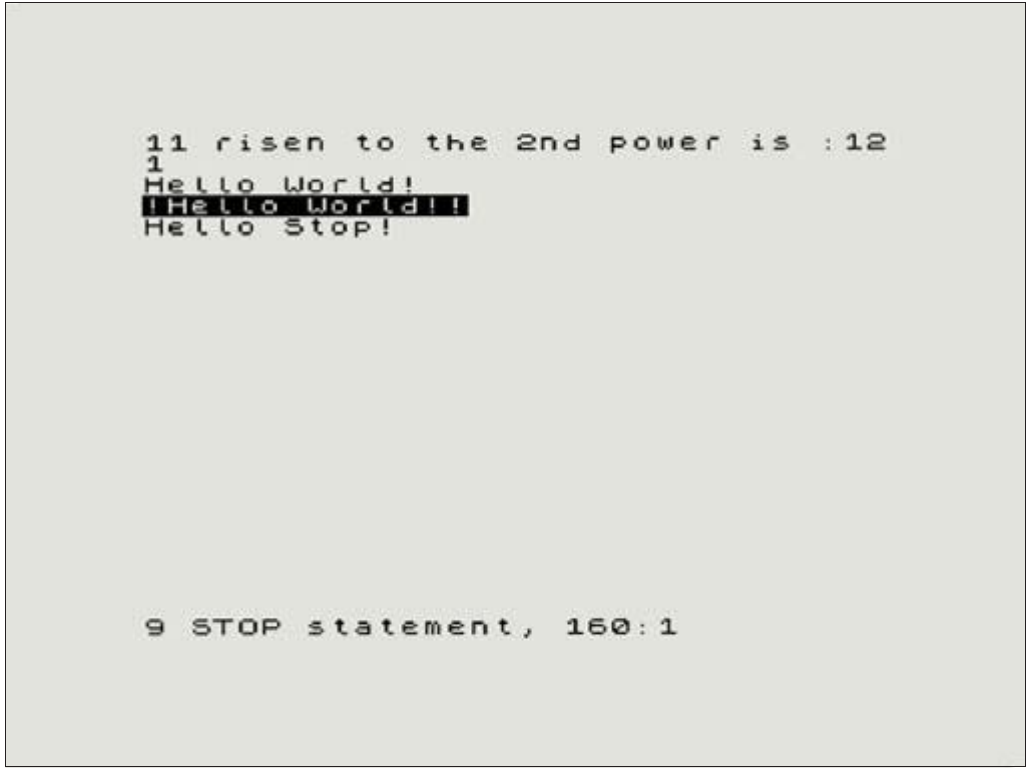
11 risen to the 2nd power is :12
1
Hello World!
!Hello World!!
Hello Stop!


9 STOP statement, 160:1
Fig. 3 - Screen output from the example procedures
As we saw in the definition of the DEFPROC, ENDPROC and PROC keywords as well as the examples above, there are optional parameters that can be passed to procedures when called with the results of the procedures' execution being assigned to multiple variables at the time. Consider this example that calculates the factorial of a number:
  10 INPUT "Enter a number
     1+:";x
  20 IF x>33 THEN PRINT "Your
     Next cannot handle this
     number!": GO TO 999
  30 PROC factorial(x) TO f
  40 IF f>0 THEN PRINT "The
     factorial of ";x;" is ";f:
     ELSE GO TO 999
 999 STOP
1000 DEFPROC factorial(n)
1010 IF n<0 OR n<> INT n THEN
     PRINT "Factorial only
     possible for 0 or positive
     integers":ENDPROC =
     -1:ELSE IF (n = 0 OR n=1)
     THEN ENDPROC =1
1020 LOCAL partial
1030 PROC factorial(n-1) TO
     partial
1040 ENDPROC =n*partial
Apart from being a good example of recursion2 we can see how this procedure feeds itself the results of the previous iteration via the local variable partial. Each iteration reduces the value by 1 as evidenced in line 1030. There's an obvious extra iteration that could be skipped when n becomes 1 but it's not important for the purpose of this example.
When calling a procedure with the PROC ... TO... version of the PROC keyword, ENDPROC must use the optional form ENDPROC =result1... and have as many results returned (separated by commas) as the calling PROC requested. PROC may be called without a TO or with a partial list of the result variables returned by ENDPROC but the inverse cannot happen and will return error Q Parameter error. For example this program:
10 product = 0
20 PROC mul(3) TO product
30 PRINT product
40 STOP
50 DEFPROC mul(x)
60   LOCAL a
80   a=x*2
90 ENDPROC =a
will return 6 when run. When we change line 20 to read:
20 PROC mul(3)
it will return 0 as variable product hasn't been changed from its initial assignment, however if we return line 20 to its original form and change line 70 to:
70 ENDPROC
then execution of the program will produce a Q Parameter error.
Passing parameters by reference with REF
Normally calling a procedure with parameters is done by value: this means that the value of the parameter is passed on to the procedure and any changes that occur are invisible to the caller. Passing by reference on the other hand lets the caller be aware of the changes.
This is mainly intended for arrays, as the default (by value) will be slower and more memory intensive, but it can also be useful for strings. Numeric variables, are faster if passed by value so passing them by reference is not recommended. To make a parameter a reference we use the REF keyword within the DEFPROC parameter block; such parameters must be passed by the calling PROC as a variable or array name only. It is not permitted to have default values for REFerenced parameters. For example:
2 The ability of the code to call itself
100 PROC tl$(x$(),5):STOP
110 DEFPROC tl$(REF
    input$(),index=1)
120 input$(index) =
    input$(index)(2 TO)
130 ENDPROC
On the example above index is not passed by reference and therefore it can have a default value. Note that integer variables and arrays cannot be passed by reference!!!
Reading parameters with DATA and READ
A PROC may call a DEFPROC with more parameters than the DEFPROC requires. In this case, if the DEFPROC has the keyword DATA as its final parameter, the procedure may read the additional parameters one at a time using READ. The new function DATA (see also Chapter 5) can be used to determine if there are further PROC parameters left to read. As an example:
100 PROC printem(“Digits”,0,1,2,
    3,4,5,6,7,8,9):STOP
110 DEFPROC printem(name$, DATA)
115    LOCAL n
120 PRINT name$
130   REPEAT:WHILE DATA
140 READ n:PRINT n
150 REPEAT UNTIL 0
160 RETURN
Trapping errors locally
As well as (or instead of) having a global error-trapping routine for your program as exhibited at the end of Chapter 1, each procedure, subroutine and repeat loop may have its own local error-trapping routine, simply by using the ON ERROR command within it.
When an error occurs within a repeat loop, subroutine or procedure, it will be trapped by its own ON ERROR routine if there is one. If not, the error will be passed out to the next level and trapped by any ON ERROR routine there and so on. Only if there is no ON ERROR at any level above the command that caused the error will a normal error report be generated. For example:
 10 ON ERROR PRINT "Outer error
    handler!":ERROR
 20 REPEAT
 30   PRINT "Starting..."
 40   ON ERROR PRINT "Oops!":ON
    ERROR:STOP
 50   GO SUB 100
 60   PRINT "Iterating..."
 70   ON ERROR
 80 REPEAT UNTIL 0
 90 STOP
100 ON ERROR PRINT "Bad
    pigs!":RETURN
110 PROC myproc()
120 PRINT "Pigs:";pigs
130 RETURN
200 DEFPROC myproc()
210   LOCAL m
220   ON ERROR PRINT "Myproc
    died...":ENDPROC
230   PRINT "m=";m,"n=";n
240 ENDPROC
Note that any LOCAL commands in a procedure or subroutine must come before a local error handler (ie lines 210 and 220 in the example cannot be reversed).
ZX Spectrum Next User Manual, 3rd Edition (ISBN 978-1-5272-5496-1), written and illustrated by Phoebus R. Dokos. Copyright © 2020-2024 Phoebus Dokos / SpecNext Ltd. Licensed under CC BY-NC-SA 4.0. This is a transcription and can contain errors; check any doubt against the printed page.