Your display now will look similar to this:
CORES                       d---
  2019-09-02 01:01
DEMOS                       d---
  2019-09-02 01:01
LICENSE.MD                  ----
  2019-09-02 00:07  5243
README.MD                   ----
  2019-09-02 00:07  1427
TBBLUE.FW                   ----
  2019-09-02 00:07  172032
TBBLUE.TBU                  ----
  2019-09-02 00:07  475648
You can immediately notice two things: First the addition of a column made from four characters at the rightmost side of the screen and secondly that every entry now occupies two lines with the second containing a date, a time and a number (not in all cases). Let's start from the second line. Two types of information is available there; when the file or folder was created and what's its size (in bytes). The first line is the file itself (or the folder) while the rightmost column describes the file's attributes. The d you can see in some entries is the directory attribute which designates a folder. Folders as far as the filesystem is concerned are special files without size. In the shorter form of CAT we saw previously, this is displayed as <DIR>. There are many more attributes to examine which we will look at later.
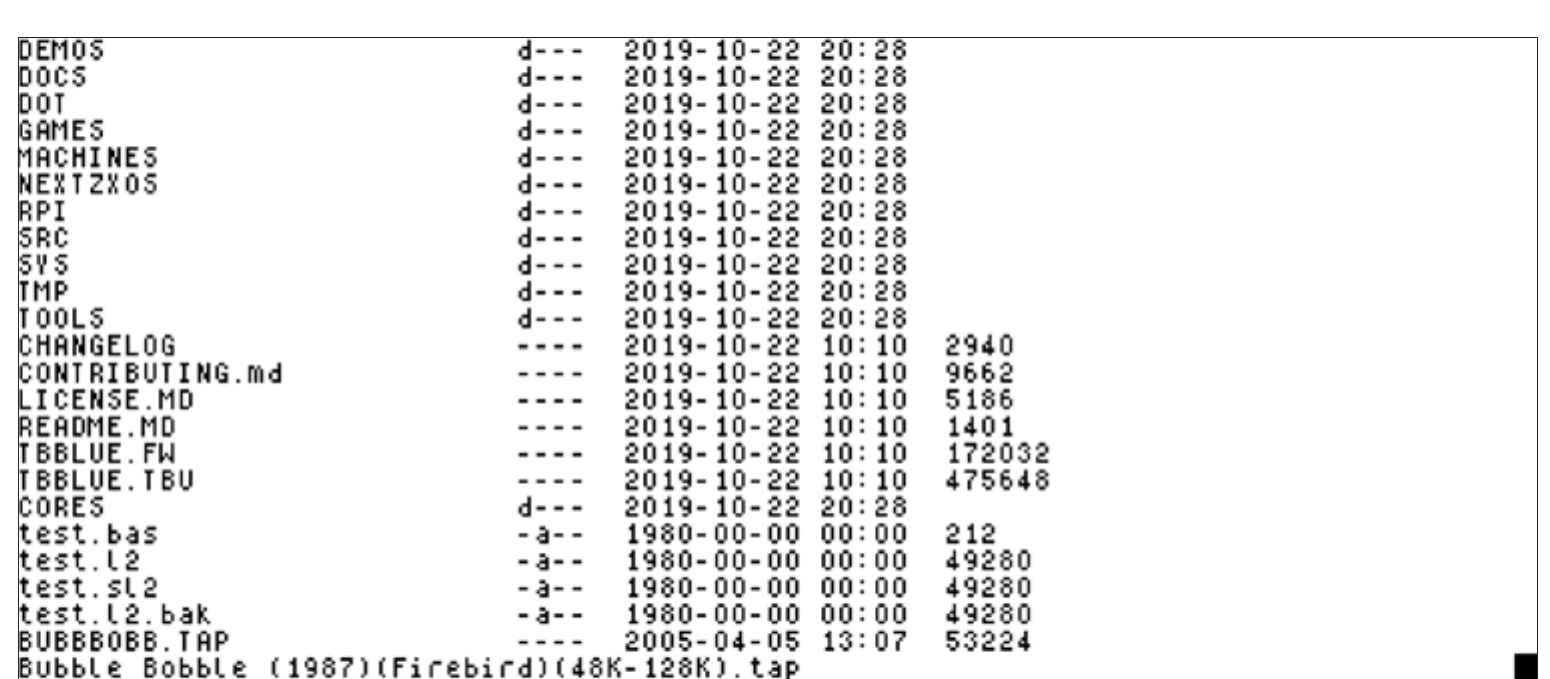
You may have noticed that the display gets very cluttered when using the EXP modifier especially if there are a lot of files with long names as the screen normally fits only 32 columns. If you follow the note in the beginning of this chapter and use 64 or 85 column modes. you'll see the situation improves. Switch to 64 column or 85 column mode, rerun CAT EXP and you will get something similar to this:
DEMOS                       d---  2019-10-22 20:28
DOCS                        d---  2019-10-22 20:28
DOT                         d---  2019-10-22 20:28
GAMES                       d---  2019-10-22 20:28
MACHINES                    d---  2019-10-22 20:28
NEXTZXOS                    d---  2019-10-22 20:28
RPI                         d---  2019-10-22 20:28
SRC                         d---  2019-10-22 20:28
SYS                         d---  2019-10-22 20:28
TMP                         d---  2019-10-22 20:28
TOOLS                       d---  2019-10-22 20:28
CHANGELOG                   ----  2019-10-22 10:10  2940
CONTRIBUTING.md             ----  2019-10-22 10:10  9662
LICENSE.MD                  ----  2019-10-22 10:10  5186
README.MD                   ----  2019-10-22 10:10  1401
TBBLUE.FW                   ----  2019-10-22 10:10  172032
TBBLUE.TBU                  ----  2019-10-22 10:10  475648
CORES                       d---  2019-10-22 20:28
test.bas                    -a--  1980-00-00 00:00  212
test.l2                     -a--  1980-00-00 00:00  49280
test.sl2                    -a--  1980-00-00 00:00  49280
test.l2.bak                 -a--  1980-00-00 00:00  49280
BUBBBOBB.TAP                ----  2005-04-05 13:07  53224
Bubble Bobble (1987)(Firebird)(48K-128K).tap
Fig. 19 – CAT EXP output in 85 columns
ZX Spectrum Next User Manual, 3rd Edition (ISBN 978-1-5272-5496-1), written and illustrated by Phoebus R. Dokos. Copyright © 2020-2024 Phoebus Dokos / SpecNext Ltd. Licensed under CC BY-NC-SA 4.0. This is a transcription and can contain errors; check any doubt against the printed page.