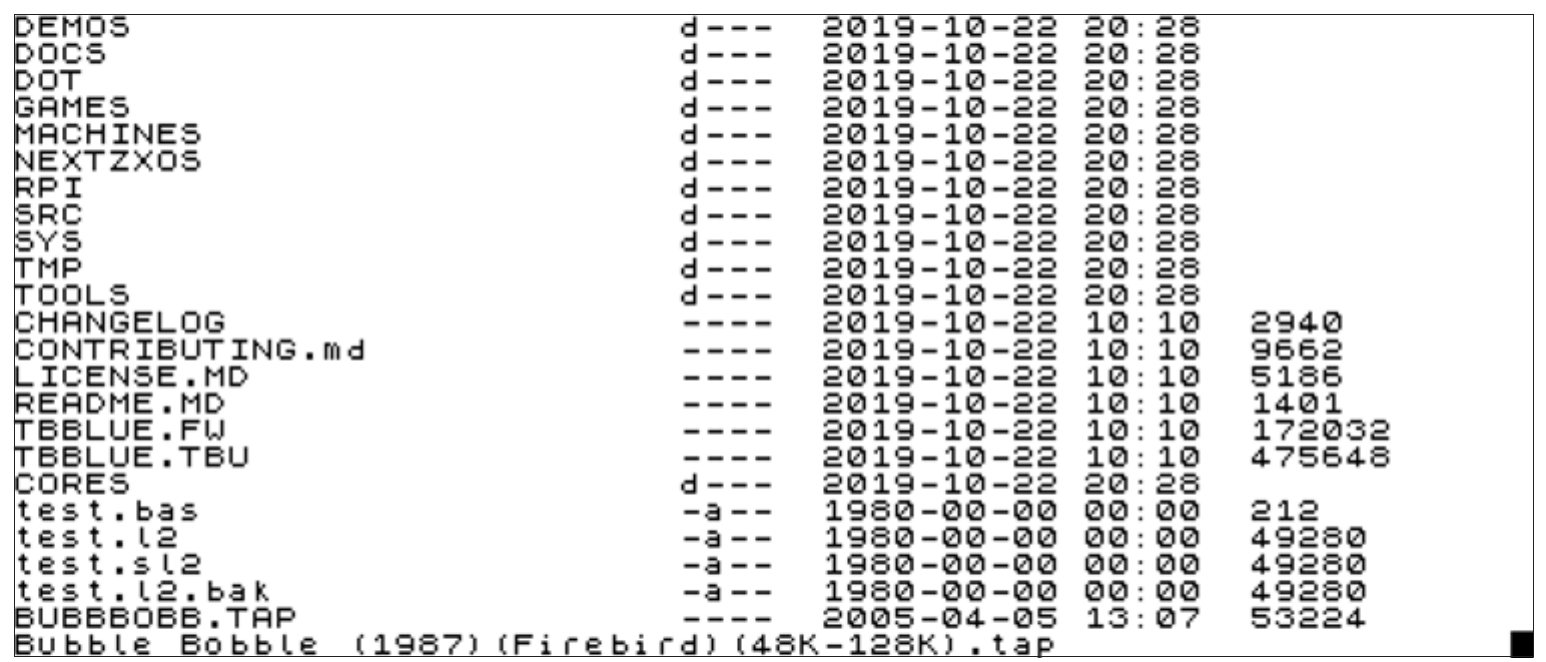
Similarly, the output will be even more pleasant at 64 columns:
DEMOS                       d---  2019-10-22 20:28
DOCS                        d---  2019-10-22 20:28
DOT                         d---  2019-10-22 20:28
GAMES                       d---  2019-10-22 20:28
MACHINES                    d---  2019-10-22 20:28
NEXTZXOS                    d---  2019-10-22 20:28
RPI                         d---  2019-10-22 20:28
SRC                         d---  2019-10-22 20:28
SYS                         d---  2019-10-22 20:28
TMP                         d---  2019-10-22 20:28
TOOLS                       d---  2019-10-22 20:28
CHANGELOG                   ----  2019-10-22 10:10  2940
CONTRIBUTING.md             ----  2019-10-22 10:10  9662
LICENSE.MD                  ----  2019-10-22 10:10  5186
README.MD                   ----  2019-10-22 10:10  1401
TBBLUE.FW                   ----  2019-10-22 10:10  172032
TBBLUE.TBU                  ----  2019-10-22 10:10  475648
CORES                       d---  2019-10-22 20:28
test.bas                    -a--  1980-00-00 00:00  212
test.l2                     -a--  1980-00-00 00:00  49280
test.sl2                    -a--  1980-00-00 00:00  49280
test.l2.bak                 -a--  1980-00-00 00:00  49280
BUBBBOBB.TAP                ----  2005-04-05 13:07  53224
Bubble Bobble (1987)(Firebird)(48K-128K).tap
Fig. 20 – CAT EXP output in 64 columns
It's evident that the columns are really 4 and they only get broken down in two lines in order to fit. Let's now examine the use of the – switch. If you type:
CAT -
Your display now will look similar to this:
CORES   .                <DIR>
DEMOS   .                <DIR>
DOCS    .                <DIR>
DOT     .                <DIR>
GAMES   .                <DIR>
MACHINES.                <DIR>
NEXTZXOS.                <DIR>
RPI     .                <DIR>
SRC     .                <DIR>
SYS     .                <DIR>
TMP     .                <DIR>
TOOLS   .                <DIR>
LICENSE .MD                  6K
README  .MD                  2K
TBBLUE  .FW                168K
TBBLUE  .TBU               465K

 1887M free

0 OK, 0:1
As you can see, filenames are now clearly separated at the 9th character by a dot followed by a 3 letter type. In order to demonstrate what happens with a larger filename we could write a simple program and save it as follows:
10 PRINT "Hello World"

SAVE "This Is A Hello World Program.bas"
Then try both CAT and CAT - as follows:
CAT - "th*.bas": CAT "th*.bas"
(Here we're also demonstrating the use of wildcards for the first time). Your display will then be:
ZX Spectrum Next User Manual, 3rd Edition (ISBN 978-1-5272-5496-1), written and illustrated by Phoebus R. Dokos. Copyright © 2020-2024 Phoebus Dokos / SpecNext Ltd. Licensed under CC BY-NC-SA 4.0. This is a transcription and can contain errors; check any doubt against the printed page.