notes of a System/Next™ distribution or because your update somehow failed (for example lost power while updating).
The regular core (for both Issue 2 and Issue 4 mainboards) is contained within a file named TBBLUE.TBU. In order to update the flash rom you need to place it on the root folder of your SD Card together with the file containing the firmware: TBBLUE.FW. Both of these files need to be present for a successful update. Regular operations, however , require only the TBBLUE.FW file to be present at all times in the root of your System/Next™ distribution. Regardless of the update method you need to have them both so make a note for that.
Just placing a TBBLUE.TBU file on the root of the card won't update the core; there are additional steps you need to take. Let's examine the two update options below.
Regular Core update
The regular core update method is quite easy. After you've made sure you have the TBBLUE.FW and TBBLUE.TBU on the root folder of your card, press and hold U on your keyboard and while doing that, long3 press the RESET button. Do not release the U key until you see the following screen (Note that if you have a KS1 ZX Spectrum Next, an N-Go computer or a KS1 dev board your Board Id will say ZX Next Issue 2):
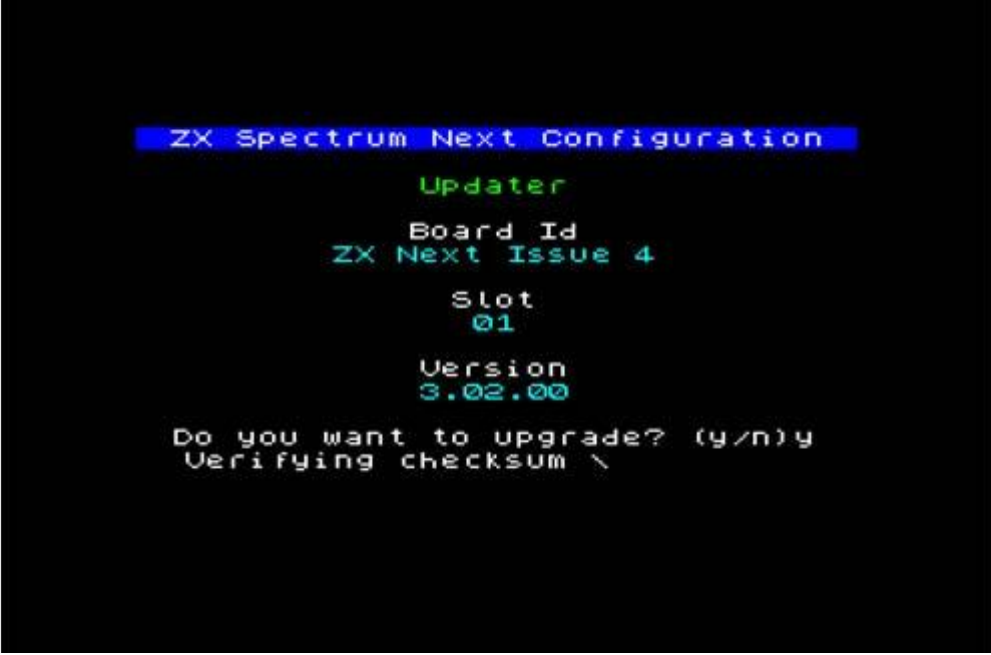
                    ZX Spectrum Next Configuration

                            Updater

                           Board Id
                        ZX Next Issue 4

                             Slot
                              01

                            Version
                             3.02.00

                 Do you want to upgrade? (y/n)y
                  Verifying checksum \
Fig. 50 – Core update screen
Release U and then press Y. The updater will first calculate the checksum of the core bistream; once it finds everything is OK, it will start upgrading; first erasing the Flash ROM and then, once done successfully, writing the core bistream from TBBLUE.TBU in its place. Once the procedure has finished, you will receive an: Updated! Turn the power off and on. message. Remove the power and if using an HDMI display, the display cable as well. Wait a few moments and then reconnect everything. The machine should restart with the new core.
AB Core update
If the process failed somehow; or if you're so instructed by the accompanying notes of your System/Next™ distribution, you can do an AB core update to remedy the situation. This is a bit more complicated and it's made so as to avoid entering this mode by mistake.
To enter AB core update; you will need to power off your machine, then press and hold the NMI and Drive buttons together (on the side of the computer) and while doing that reat-
3 More than 1 second
ZX Spectrum Next User Manual, 3rd Edition (ISBN 978-1-5272-5496-1), written and illustrated by Phoebus R. Dokos. Copyright © 2020-2024 Phoebus Dokos / SpecNext Ltd. Licensed under CC BY-NC-SA 4.0. This is a transcription and can contain errors; check any doubt against the printed page.