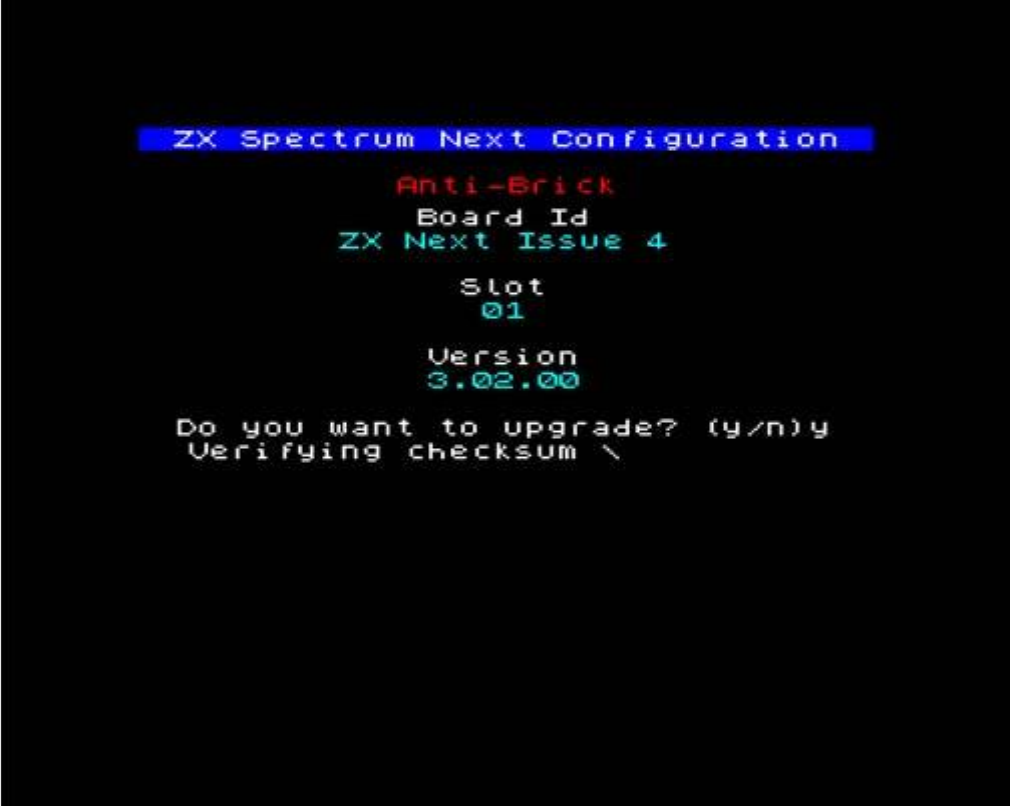
tach the power cable. Wait a few moments then release both keys. You should see the following screen:
                    ZX Spectrum Next Configuration

                           Anti-Brick
                           Board Id
                        ZX Next Issue 4

                             Slot
                              01

                            Version
                             3.02.00

                 Do you want to upgrade? (y/n)y
                  Verifying checksum \
Fig. 51 – AB Core update screen
If the display is blank, press F3 on the keyboard. Note that due to AB core using the NMI and Drive buttons you cannot press F3 using the NMI + 3 shortcut so you must have a PS/2 keyboard for that.
The display could be blank because the AB core works at 60 Hz in VGA mode only so if your display cannot "lock" onto that mode and you have no PS/2 keyboard to attach, you will need to do a so-called "blind update". You can still press y and more than likely the update will finish however if you have no display, the preferred method of performing said update is by pressing the NMI button once which in AB core update is a shortcut for y while the Drive button is a shortcut for n. If you do perform a "blind update" you should allow the machine adequate time to finish.
Please note that on an Issue 4, the average AB update time is 15 minutes from the time you press y so allow about 20 minutes before turning the power off.
Multicore (Extra Cores) update
The Extra Cores update deals with the optional third party cores the ZX Spectrum Next accepts. The process is similar with two exceptions. You will need a file called CORExxx.BIT where xxx is a number from 001 to 031 instead of the TBBLUE.TBU placed in the root folder of your System/Next™ distribution and you enter it by pressing and holding C instead of U while in NextZXOS. Every other step is exactly the same. Your 3rd party core will come with instructions on what to do and how to start the core. Generally speaking, files specific to that core go under the c:/machines/ folder, into one subfolder specific to that core. So if, for example, a QL core was released, you would find all pertinent files into c:/machines/ql/.
Updating the firmware
In ZX Spectrum Next terminology, firmware is the file called TBBLUE.FW that's located in the root folder of the SD card that holds your System/Next™ distribution. It is impossible to start the machine without it, as it's a special program that configures all aspects of the machine regardless of personality and core. To update it, you only have to copy the new version over the previous TBBLUE.FW version. The current FW version is reported on the boot screen. See your Quick Start Guide to see how the core gets reported while booting.
ZX Spectrum Next User Manual, 3rd Edition (ISBN 978-1-5272-5496-1), written and illustrated by Phoebus R. Dokos. Copyright © 2020-2024 Phoebus Dokos / SpecNext Ltd. Licensed under CC BY-NC-SA 4.0. This is a transcription and can contain errors; check any doubt against the printed page.