CP/M option from the More... submenu in the NextZXOS Startup Menu, or type .cpm in the NextBASIC Editor or the Command Line will take you straight into CP/M (Fig. 29).
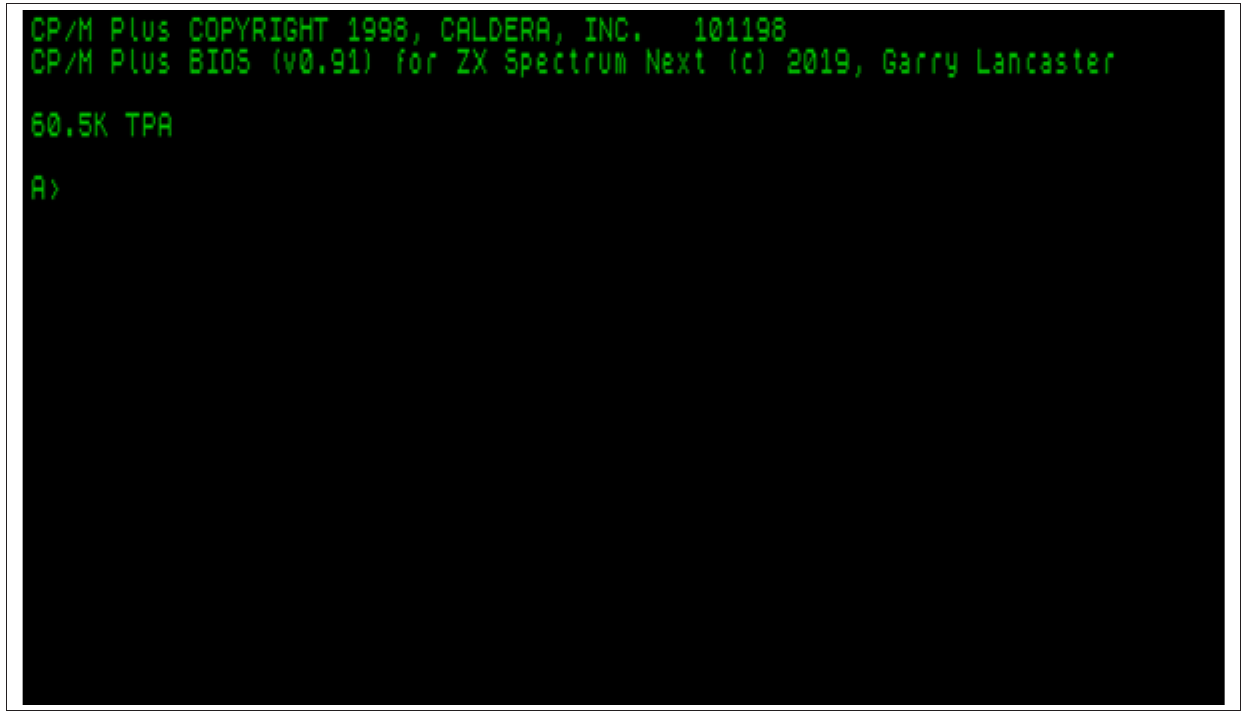
CP/M Plus COPYRIGHT 1998, CALDERA, INC.   101198
CP/M Plus BIOS (v0.91) for ZX Spectrum Next (c) 2019, Garry Lancaster

60.5K TPA

A>
Fig. 29 – ZX Spectrum Next properly booted CP/M setup
Commands
CP/M is operated by typing commands at the prompt (A>). One of the most useful commands is DIR which works much in the same way that CAT works in NextZXOS.
Typing:
DIR A:
will show a list of all the files on the current drive or the drive specified. Initially you will just have drive A: available, but more can be set up (drives A: to P: can be used) using the .mkdata dot command in NextZXOS as per the instructions provided earlier, so that you can keep different programs on different drives.
Any filename shown by DIR which ends in .COM is itself a command, and can be executed at the prompt. You will have noticed there are a lot of .COM files to try. Another useful one is:
HELP.COM
which provides help and information on all the standard commands and utilities provided with CP/M. Note, that you do not need to type the .COM part all the time; CP/M will find the appropriate command and executed without having to type its extension (in other words its file type). So to call up HELP.COM you could just type:
HELP
Commands are also case-insensitive, so it doesn't matter if you type them in lower or upper case or a mix of both; all versions of HELP, help, hELP and HelP will call the exact same program!
In the CP/M distribution that comes with NextZXOS, there are a number of commands specific to the ZX Spectrum Next. These include:
| Command | Description |
|---|---|
| UPGRADE | Upgrades your installation of CP/M from the latest version available on your SD card |
| TERMINFO | An interactive demonstration of the terminal facilities provided on the ZX Spectrum Next |
| EXIT | Exits from CP/M and returns to NextZXOS |
ZX Spectrum Next User Manual, 3rd Edition (ISBN 978-1-5272-5496-1), written and illustrated by Phoebus R. Dokos. Copyright © 2020-2024 Phoebus Dokos / SpecNext Ltd. Licensed under CC BY-NC-SA 4.0. This is a transcription and can contain errors; check any doubt against the printed page.