where X is the drive letter, from A to P. If you have created multiple files referring to the same drive letter, CP/M will use the ones named cpm-X in preference to the ones named drv-X. It has no preference over .p3d or .dsk, so if there is a cpm-b.p3d and a cpm-b.dsk, then the first one in the directory will be used.
Note that NextZXOS will also automatically mount these drive images (except any image where X is c) when it starts up. You can view them in the Browser (press D to change drives) and copy files between them etc. NextZXOS will mount drv-X files in preference to cpm-X files. You can also manually mount other disk images which don't follow the automatically-mounted naming scheme. To do this, just press ENTER on the .p3d or .dsk file in the Browser.
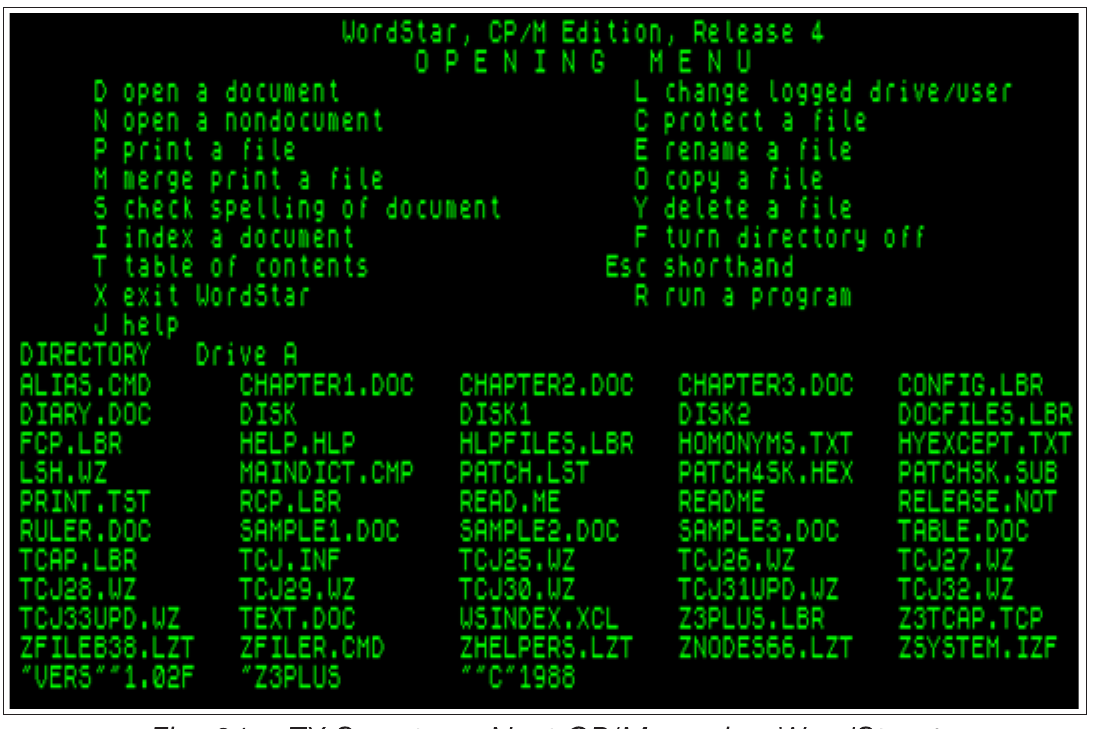
                      WordStar, CP/M Edition, Release 4
                           O P E N I N G   M E N U
     D open a document                    L change logged drive/user
     N open a nondocument                 C protect a file
     P print a file                       E rename a file
     M merge print a file                 O copy a file
     S check spelling of document         Y delete a file
     I index a document                   F turn directory off
     T table of contents                Esc shorthand
     X exit WordStar                      R run a program
     J help
DIRECTORY   Drive A
ALIAS.CMD      CHAPTER1.DOC   CHAPTER2.DOC   CHAPTER3.DOC   CONFIG.LBR
DIARY.DOC      DISK           DISK1          DISK2          DOCFILES.LBR
FCP.LBR        HELP.HLP       HLPFILES.LBR   HOMONYMS.TXT   HYEXCEPT.TXT
LSH.WZ         MAINDICT.CMP   PATCH.LST      PATCH4SK.HEX   PATCHSK.SUB
PRINT.TST      RCP.LBR        READ.ME        README         RELEASE.NOT
RULER.DOC      SAMPLE1.DOC    SAMPLE2.DOC    SAMPLE3.DOC    TABLE.DOC
TCAP.LBR       TCJ.INF        TCJ25.WZ       TCJ26.WZ       TCJ27.WZ
TCJ28.WZ       TCJ29.WZ       TCJ30.WZ       TCJ31UPD.WZ    TCJ32.WZ
TCJ33UPD.WZ    TEXT.DOC       WSINDEX.XCL    Z3PLUS.LBR     Z3TCAP.TCP
ZFILEB38.LZT   ZFILER.CMD     ZHELPERS.LZT   ZNODES66.LZT   ZSYSTEM.IZF
"VERS""1.02F   "Z3PLUS        ""C"1988
Fig. 31 – ZX Spectrum Next CP/M running WordStar 4
Further information
There is a lot to learn about CP/M, and a lot you can do with it. Some useful places for further information are listed below:
http://www.cpm.z80.de/ Contains a lot of manuals, documentation and software.
In particular, the CP/M 3 User Guide, Command Summary and Programmers' Manuals can be found in the following locations:
| http://www.cpm.z80.de/manuals/cpm3-usr.pdf | User Guide |
| http://www.cpm.z80.de/manuals/cpm3-cmd.pdf | Command Summary |
| http://www.cpm.z80.de/manuals/cpm3-pgr.pdf | Programmer's Manual |
A good starting point is also:
http://classiccmp.org/cpmarchives/ which links to many more useful sites, collections of software, manuals, magazines and much more.
Preparing your ZX Spectrum Next for esxDOS
Other than NextZXOS, CP/M and +3e/IDEDOS, your ZX Spectrum Next supports natively one more Operating System called esxDOS. This is especially helpful when running Eastern European software as the preferred method of storage is using TRDOS which esxDOS supports natively. Unfortunately the copyright status of some parts of esxDOS prohibits its inclusion in the System/Next™ distribution, but that doesn't mean you cannot install it yourself. esxDOS can be invaluable for personalities other than the Next Native one as it provides older model personalities with an easy way of managing FAT formatted SD cards. As is the case with NextZXOS, it too uses FAT as the primary filesystem and thanks to NextZXOS' design, it can therefore co-exist on the same drive without clashes.
In order to install esxDOS you need to do a few things first:
ZX Spectrum Next User Manual, 3rd Edition (ISBN 978-1-5272-5496-1), written and illustrated by Phoebus R. Dokos. Copyright © 2020-2024 Phoebus Dokos / SpecNext Ltd. Licensed under CC BY-NC-SA 4.0. This is a transcription and can contain errors; check any doubt against the printed page.