which will reset your ESP and give you a lot of information before concluding with a
WIFI CONNECTED
WIFI GOT IP
Exit .uart by pressing SYMBOL SHIFT + SPACE. If none of this worked, then the most likely culprits are that you either have a bad ESP module or that the power supply you're using is not powerful enough for both your ZX Spectrum Next and the ESP module. First try with a different power supply, otherwise return the ESP module for an exchange.
Note that different ESP firmware versions have slightly different versions of the commands above so always consult the most up-to-date documentation!
C. Testing the RTC installation
There are several ways of testing if the RTC was properly installed the easiest of which is to launch again the NextZXOS Startup Menu and then go to the Tools Submenu. There apart from the WIFI setup option, you will find a Set Clock option. Launching it will allow you to program your RTC using just your cursor and the ENTER keys:
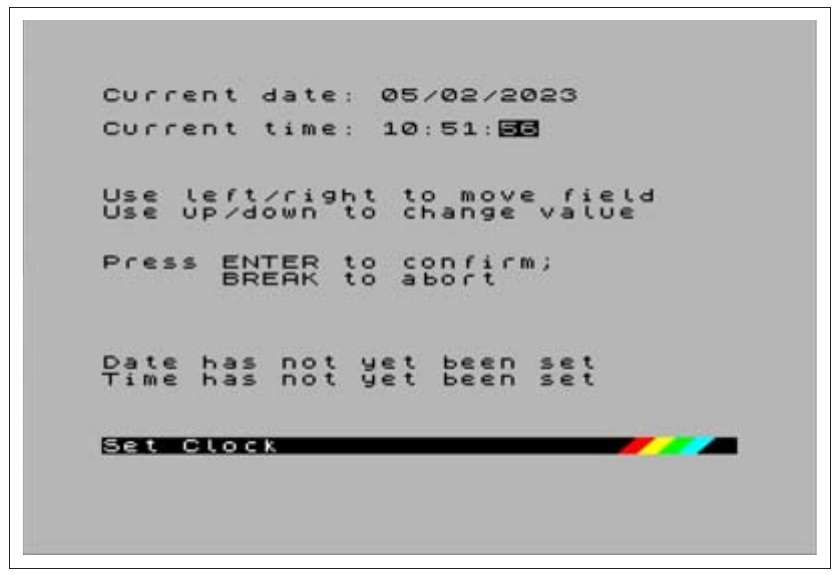
Current date: 05/02/2023
Current time: 10:51:56

Use left/right to move field
Use up/down to change value

Press ENTER to confirm;
      BREAK to abort

Date has not yet been set
Time has not yet been set

Set Clock
Fig. 42 – NextZXOS Set Clock utility
If everything worked right, then NextZXOS shall start reporting the current time and date on its menus like so:
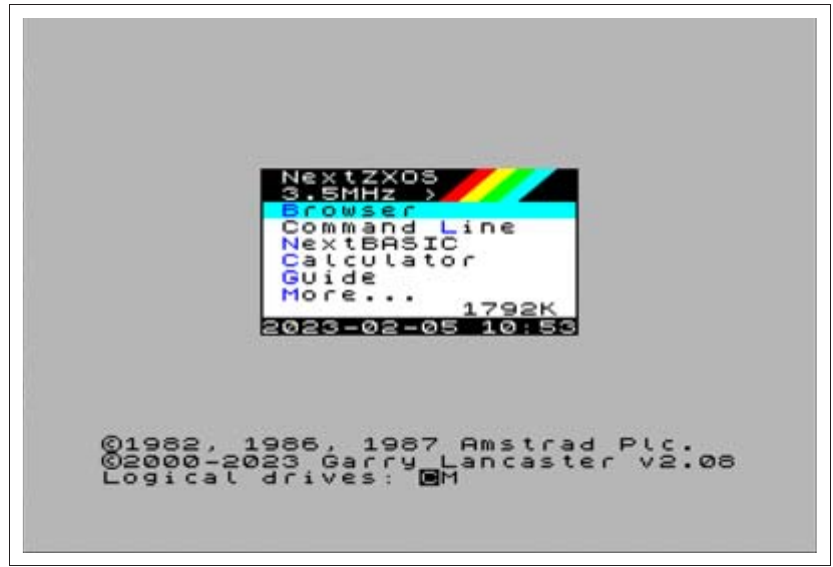
NextZXOS
3.5MHz  >
Browser
Command Line
NextBASIC
Calculator
Guide
More...              1792K
2023-02-05 10:53

©1982, 1986, 1987 Amstrad Plc.
©2000-2023 Garry Lancaster v2.08
Logical drives: CM
Fig. 43 – RTC Working
If however the clock won't work, there's a very simple way of testing for the RTC and that's to give it the .time command. If it doesn't work outright, it will produce an output like the one shown in Fig. 44.
There are a few issues that can occur with the RTC; if the output is as above, the most likely culprit is the soldering of the IC onto the board. A cold solder will leave the RTC not working, a short somewhere will do the same but the RTC IC will start getting hot. If you feel the IC warming up disconnect all power immediately and inspect your soldering.
ZX Spectrum Next User Manual, 3rd Edition (ISBN 978-1-5272-5496-1), written and illustrated by Phoebus R. Dokos. Copyright © 2020-2024 Phoebus Dokos / SpecNext Ltd. Licensed under CC BY-NC-SA 4.0. This is a transcription and can contain errors; check any doubt against the printed page.